

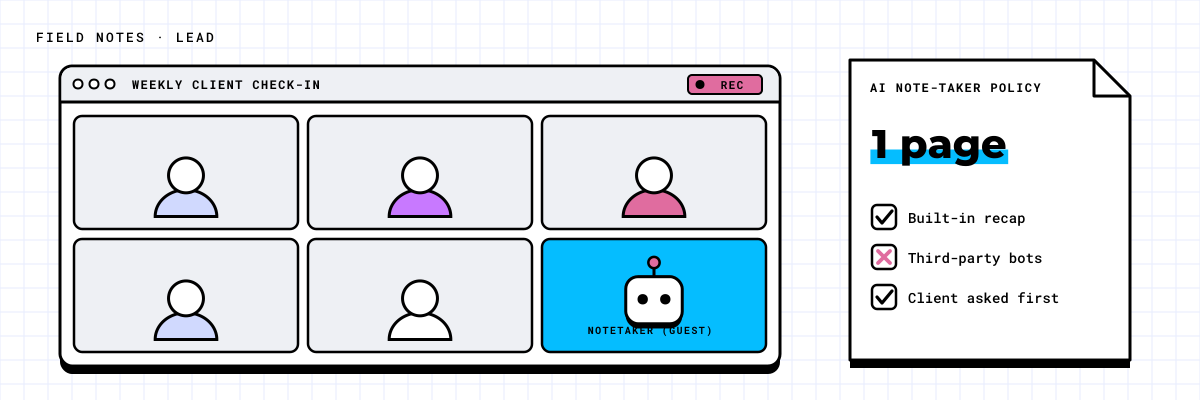
You join a client call and there is an extra attendee in the list: "Notetaker." Nobody on your side invited it. Someone on the team signed up for a free AI meeting assistant last month, connected it to their calendar, and now it joins every meeting they are part of. It records, transcribes and summarizes, then emails the notes to everyone on the invite.
No one decided this was allowed. It simply happened.
How the bots get in
Most third-party note-takers work the same way. A person signs up with their work email, clicks "allow" on a permissions screen, and grants the service access to their calendar. From then on, the bot joins any meeting on that calendar as a guest.
That one click often gives the service more than people realize: the ability to read calendar details, see who attends, and in some cases read email. The recording and transcript are stored in the vendor's cloud, under the vendor's terms, not yours.
These tools are genuinely useful. Good meeting notes save time, and people adopt them for a reason. The issue is not the idea. It is that the decision was made by whoever signed up first.
Why it matters
Consider what gets discussed in a normal week. A client shares pricing under a confidentiality agreement. A manager talks through a performance issue with HR. The leadership team discusses a possible acquisition. In each case, a bot may be recording the conversation and storing it somewhere nobody in the company controls.
In one scenario, a 40-person professional services firm found three different note-taking services in use across the team. One had recorded a client's board discussion. The client noticed the summary email, asked where the recording was stored, and nobody at the firm could answer. The firm spent more time on that one question than it would have spent writing a policy.
Many clients and regulators expect you to know where recordings of their conversations live. If you cannot answer that question, you have a problem whether or not anything has gone wrong yet.
What a short policy should cover
This does not need a 20-page document. One page, agreed by leadership and shared with staff, answers the questions that matter:
- Which bots are allowed. Name the approved tools. For many companies on Microsoft 365, that is the recording and transcription already built into Teams, where the files stay in your own tenant. Everything else is blocked unless approved.
- Which meetings are off limits. HR conversations, legal matters, board discussions and anything under a client confidentiality agreement are typical examples.
- Who can turn recording on. Usually the organizer, and only after saying so at the start of the meeting.
- Where transcripts live and for how long. For example, in the meeting organizer's storage within Microsoft 365, kept for a set period and then deleted.
- How guests are told. External attendees are informed before or at the start of the call, and can ask for recording to stay off.
Answer five questions and get a draft summary you can adapt.
Putting the policy into practice
A policy only works if the settings match it. Microsoft 365 gives administrators controls over which external apps people can connect to their accounts, and Teams has admin controls for meeting recording and transcription. Check your admin center to see what is currently allowed, because the defaults in many tenants let anyone approve a third-party app for their own account.
The practical sequence is simple. Find out which note-takers are already connected. Decide which, if any, to keep. Remove the rest, and change the settings so new ones need approval. Then send staff the one-page policy with a plain explanation of why it exists.
Most people will be fine with it. They wanted good notes, not a compliance risk. Give them an approved way to get the notes and the unapproved tools tend to fade away on their own.
If you are not sure which bots are already in your meetings, book the Scan. It is a 30-minute call where we look at your Microsoft 365 with you and put numbers on what is connected and what is exposed.